
← Immersive Sound Design for Exhibit Designers
Module 1 of 3 · Imagine it
Environment-Building With Sound
Sound can turn a space into a place. Leave with a storyboard of your own space, with a technical overlay.
Created by Billy Mark, Maro Kariya, and Ethan Marshall Cohen · 30-minute core session · 6 parts
1 · Imagine it (you are here) · 2 · Hear it (opens Dec 5) · 3 · Build it (opens Jan 2)
Who it’s for
Made for the people who decide what a space sounds like: exhibit designers, educators and venue staff who make choices about sound in science centers, children’s museums, and music and culture museums. Your guides are artists and designers who build immersive, interactive sound installations for public spaces.
No audio background needed; the tools are free and the technical parts are explained as you go.
On this page
- 1.1 Listen first ~6 min
- 1.2 Why spatial sound? ~6 min
- 1.3 Imagine the sound environment ~6 min
- 1.4 Storyboard the visit ~6 min
- 1.5 Add the technical overlay ~4 min
- 1.6 Learn from built examples ~2 min
Downloads and links
Assignments
Each part is marked At home (computer and headphones) or On site (in a real space), so you can plan your visits.
The parts
1.1
Listen first
Anywhere ~6 min
Hearing is already spatial. Start with acoustic ecologist Bernie Krause’s three families of sound: geophony (sounds of the earth), biophony (living things) and anthrophony (people and machines), and how to mark a sound on your listening map: position for where, dot size for how loud, a letter for its family.
Then close your eyes for one minute and notice the sounds around you: what is in front or behind, to the side, above or below; near or far, quiet or loud; constant or coming and going; still or moving.
Listen first
8 slides · about 6 min
1.2
Why spatial sound?
At home ~6 min
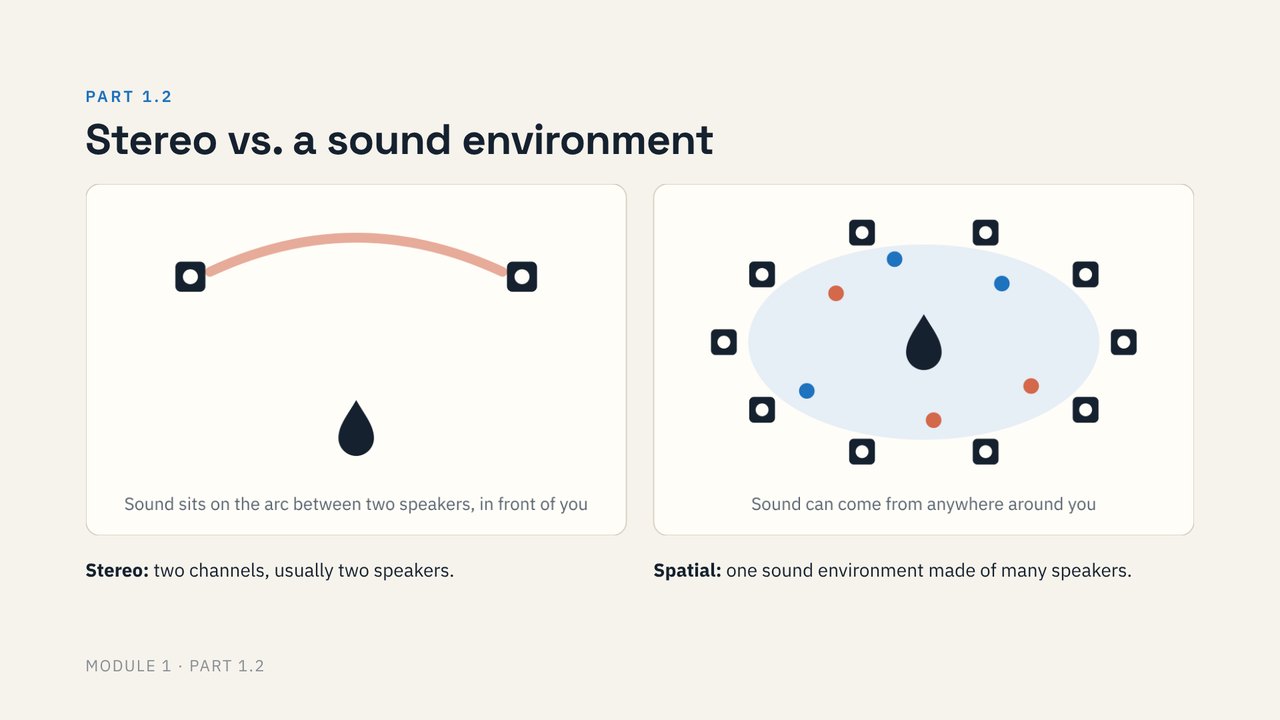
We hear in every direction at once, and that is what makes a space feel like a place. Stereo puts sound on the arc between two speakers in front of you; a spatial sound environment joins many speakers so sound can come from anywhere around a visitor. Most venues already have speakers to build on: spatial audio can be additive.
A growing body of research suggests the same thing: the same content, placed spatially, brings more presence, attention and emotional engagement. In Sound Travels’ own research with zoo and aquarium educators, positive sound experiences raised learning engagement noticeably, while negative ones had a much weaker effect. So designing the sounds people enjoy does more than only fixing the ones they don’t.
Why spatial sound?
6 slides · about 6 min
1.3
Imagine the sound environment
At home ~6 min
Start from the experience you want. Are you in a control room, a jungle, on a boat? Imagine it, and jot down five sounds.
Then sort them with the sound tree. In situ (existing, on-site) sounds are already in the space; designed sounds are added through a system, recorded or synthesized. From here on, three terms: fixed media (a pre-rendered file), generative (made in real time by a music system) and responsive (changes when visitors interact with sensors). Finish with the four parameters of mixing in space, location, time, EQ and volume, and how moving sound can guide visitors.
Imagine the sound environment
7 slides · about 6 min
1.4
Storyboard the visit
At home ~6 min
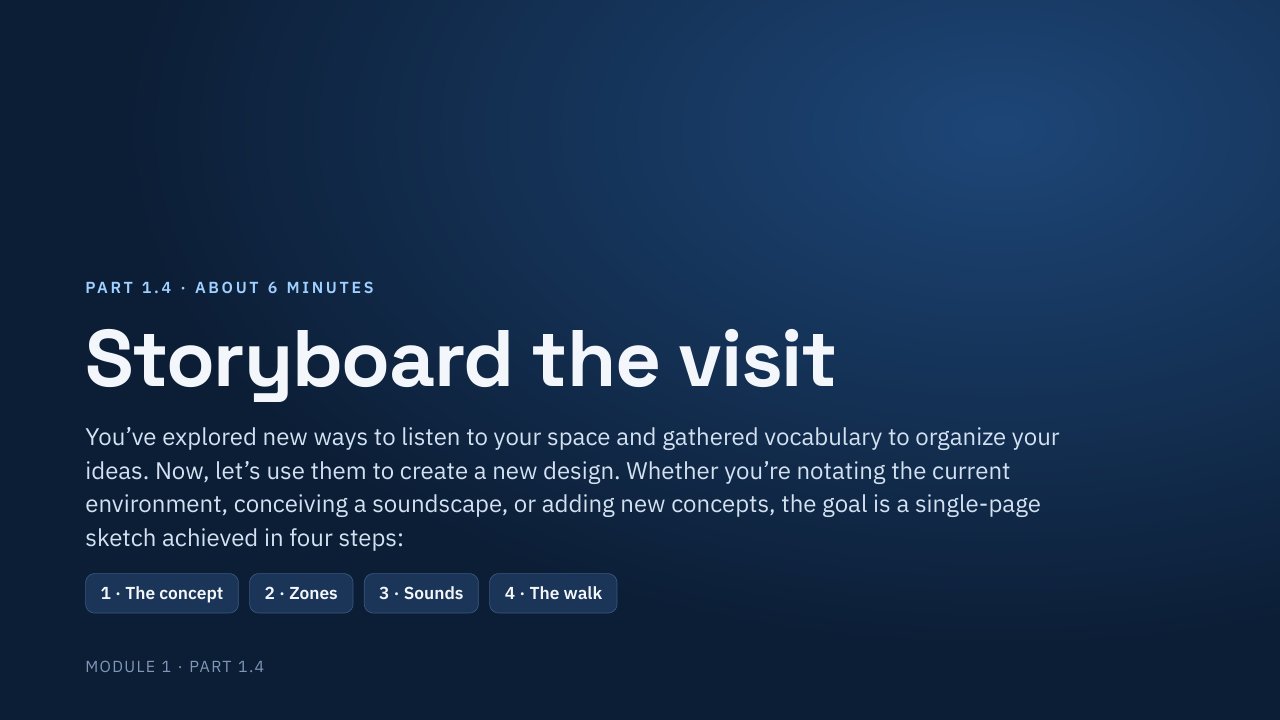
Now use your new vocabulary to design. Whether you’re notating the current environment, conceiving a soundscape, or adding new concepts, the goal is a single-page sketch in four steps: the concept and its arc, zones (draw a circle for each), sounds (give each one an address, using one map key for the whole sheet) and the walk (one visitor, stop by stop: attract, hold, release).
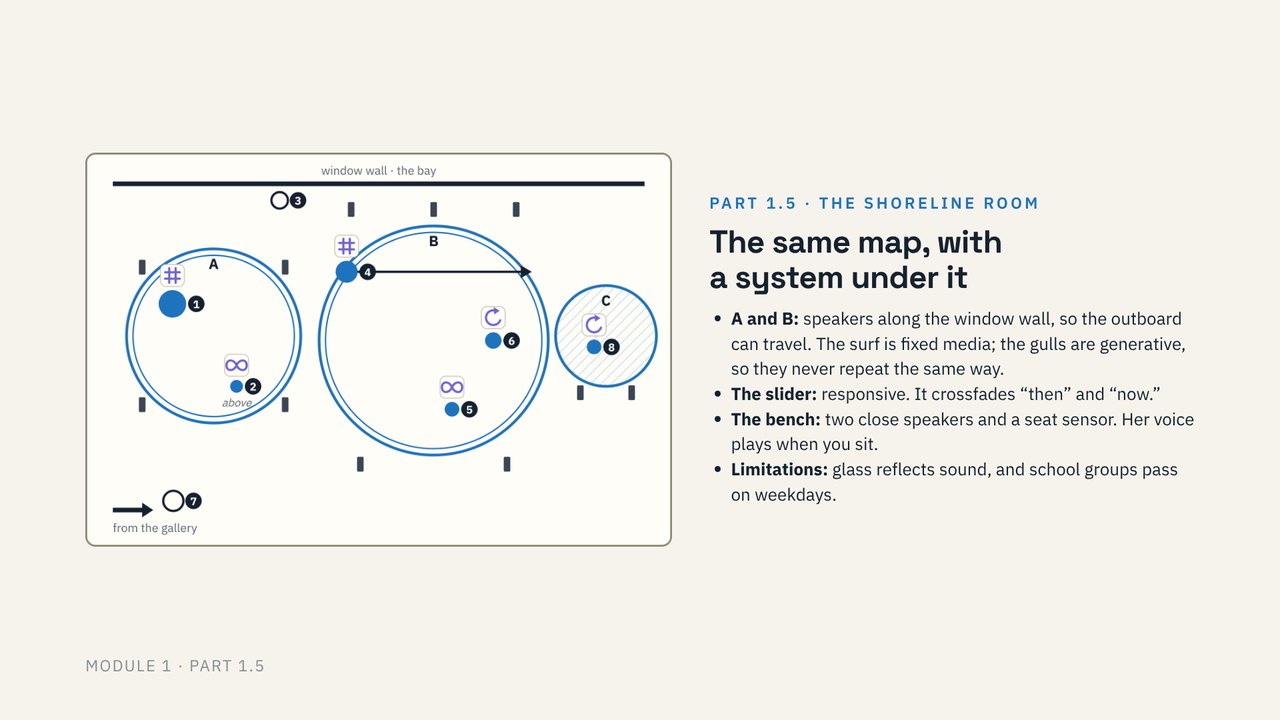
We follow one example all the way through: the Shoreline Room, the same shore sixty years apart.
Storyboard the visit
6 slides · about 6 min
1.5
Add the technical overlay
At home ~4 min
Put a system over the storyboard. You don’t need to have all the technical answers, just clarity on how the content is created and where it’s coming from. Draw where speakers (▮) might go on your map in a second pen color, and mark how each sound plays in your sounds table: # fixed media, ∞ generative, ↻ responsive.
Parts 1.4 and 1.5 come together on one two-page field sheet: your assignment.
Add the technical overlay
5 slides · about 4 min
Worksheets for parts 1.4 and 1.5 · two pages, single-sided is fine. No printer? Copy them onto any paper, or fill them in on a tablet.
1.6
Learn from built examples
At home ~2 min
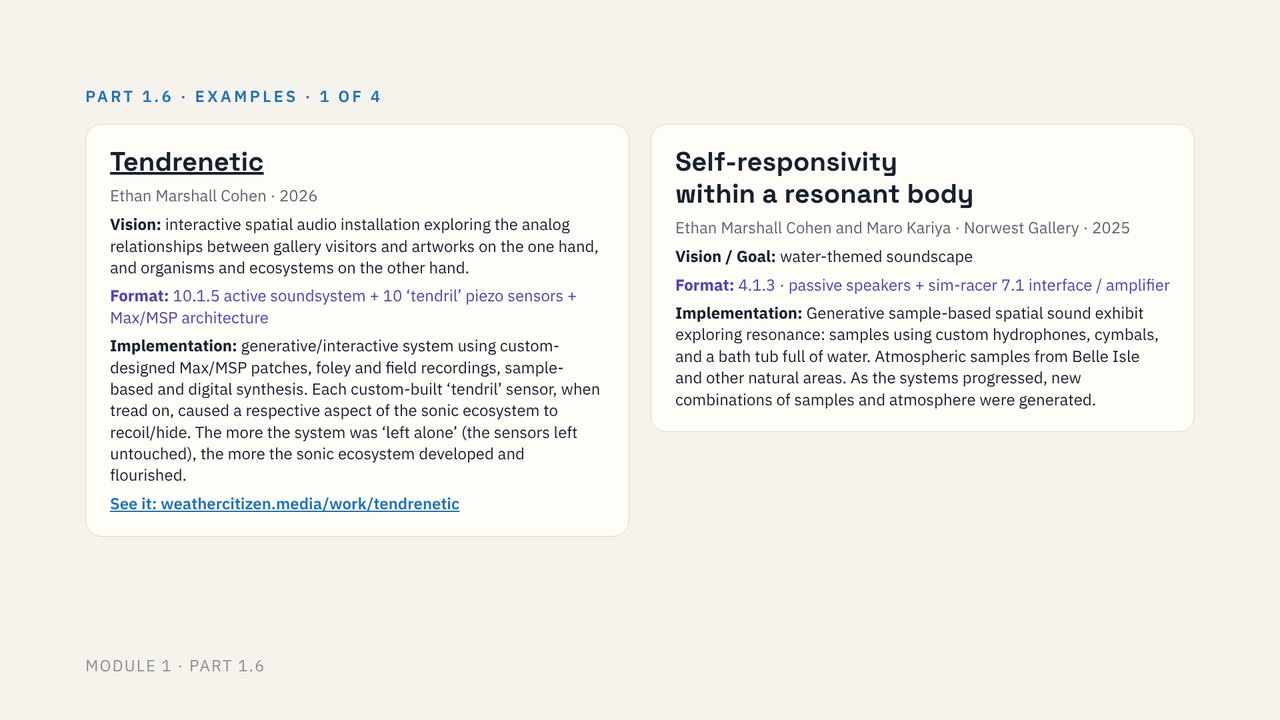
Our own immersive works, from generative water soundscapes to sensor-driven ecosystems: Tendrenetic, Self-responsivity within a resonant body, Echosystems, Park Echoes, Pleinair TV, Thirsty Machine, Mirror Glyph and Crickets of Semantra. Each lists its speaker format, so you can read it with your overlay in mind.
Learn from built examples
6 slides · about 2 min
Downloads and links
Everything for this module in one place: worksheets to print, slides, and the tools we use.
- Print Print packet: everything to print, in one file
The listening map and the two-page field sheet. Three pages, all single-sided. - Slides All Module 1 slides in one file
Parts 1.1 to 1.6. Each part’s slides are also linked in that part. - PDF Listening map
For part 1.1 and its assignment. Print up to three. - PDF Field sheet, two pages
Your storyboard and technical overlay, for the assignment. - Example The listening map, filled in
A worked example for part 1.1. - Example The Shoreline Room, filled in
The worked example from parts 1.4 and 1.5. - Tool Inviso
Free, browser-based tool for placing sounds around a listener. You’ll use it in Module 2.
Your assignments
Assignment 1 · Anywhere
Repeat the listening exercise in two other spaces that differ in how much sound they have. Use a fresh listening map each time.
Assignment 2 · On site
Print the two-page field sheet (single-sided is fine). In your space, listen for two minutes, then fill in page 1: the concept, the arc, and a circle for each zone.
Assignment 3 · At home
Fill in page 2: your sounds, one visitor’s walk and the system. Bring both pages to Module 2, which opens December 5, with one line on what surprised you.
Next
Module 2: Hearing and Making Spatial Sound
Opens December 5