
Course B · Self-directed · Asynchronous
SoundMap 101: Make Your Own Sound Map
Five short steps take you from listening to your own site to publishing a sound map on Echoes. A primer, not a production course: enough to make a first map in a few hours.
Led by Natalie Gallagher · 5 steps · A few hours at your own pace, plus one or two visits to your site
Sound maps turn ordinary places into rich listening experiences. By layering recorded sounds, music, and spoken stories onto a map, you can invite visitors to walk a nature trail, museum, or neighborhood while hearing the sounds that belong to each spot, or the sounds that used to belong there.
Sound Travels research found that layered sounds tied to real places change how people pay attention. They notice more, and they make choices about where to stand and what to focus on. A sound map puts that sonic awareness and sonic agency into your visitors’ hands, using the phones and headphones many already carry.
This self-guided course is for staff and educators at museums, nature centers, libraries, and science centers who want to make a sound map for their own site, without an outside specialist. It grew out of a pilot with Columbus Metro Parks at Blacklick Woods, where park staff built and publicly tested a sound walk.
Start here · 2 minutes
What is a sound map?
Watch this before you begin. In two minutes you’ll see what a geolocated sound walk is and how it feels to walk one: the thing this whole course teaches you to make.
On this page
- 1 Listen to your site
- 2 Gather your sound materials
- 3 Build in Echoes
- 4 Listening in motion
- 5 Test and publish
- Downloads and links
- Keep going
You’ll need
- A smartphone
- Headphones
- A computer with a web browser
- An Echoes creator account
No audio experience required.
Plan your trips
Steps are marked On site (phone and headphones, in the place you’re mapping) or At home (at your computer). Steps 1 and 2 can share a site visit, and Step 5 needs another. Steps 3 and 4 happen at your desk.
The five steps
1
Step 1: Listen to your site
On site
Before a sound map has any sounds, it has a place. Start on your own site, with slow looking and careful listening, and ask what the location is already saying.
You’ll learn to
- Notice how a place sounds: its paths, entrances, edges, places to pause, acoustic textures, and human activity
- Listen for patterns: recurring sounds, hidden rhythms, silences, and sounds that usually go unnoticed
- Set a purpose for your map, film your route, and mark three to five stops
Listen to Your Site
7 slides
Try it
About 45 minutes on site. Write your purpose sentence. Walk the route once with headphones off, just listening, then walk it again filming and say what you notice. Mark three to five stops, each with one sound. Done when you have a purpose sentence, a walk video and a short list of stops.
2
Step 2: Gather your sound materials
On site, then at home
Build a sound inventory for your site: narration, field recordings, music, Foley and archival sound. For each sound, decide what you are doing with the place: preserve it, amplify it, or introduce something new. Then record, source, edit lightly, and prepare one folder of clearly named files, ready to drop into Echoes.
You’ll learn to
- Record narration and field sound with the phone you already have, using the checklist radio producers work from
- Find free sounds and reuse them well: consent, copyright, attribution, and keeping animal calls in headphones
- Edit lightly on your phone, get the files off it, and prepare them for Echoes: trim, fade, level, format, and file names by stop
Gather Your Sound Materials
10 slides
Try it
About 45 minutes. Make your first stop: pick one stop from your inventory, record 30 to 60 seconds of narration and 90 seconds of ambience there, find one sound you can’t record and log its credit, then trim, fade, name and send all three to your folder. Done when three files sit in one folder, named by stop, loud enough to hear outdoors.
3
Step 3: Build in Echoes
At home
In Echoes, each sound lives in a shape on the map called an echo. Where you draw it and how it plays are composing choices, not just technical ones. The slides explain the choices; the guides walk you through the buttons.
You’ll learn to
- Create a project and draw circles and polygons at your listening locations
- Choose a structure: linear or open-ended
- Set playback: loops, one-shots, play-complete, fades, and layering
Build in Echoes
7 slides
Try it
About 45 minutes at home. Start a new walk and find your site on the map. Draw the stop you recorded in Step 2, add your narration and ambience, and set playback. Draw a large, quiet bed under the whole route, then preview the walk from your desk. Done when the preview plays your stop the way you meant it to, over a bed of ambience.
4
Step 4: Listening in motion: place, pace, and placement
At home
A sound map is not heard all at once. It is walked. This step is about composing for the moving body, and you can do it at your desk with the walk video from Step 1: how a listener’s path, pace, and attention turn a site into an unfolding experience.
You’ll learn to
- Tell sound objects from ambience, and compose walking by, walking through, and approaching a sound
- Match narration and timing to the listener’s path, and guide attention with direct address, questions, silence, and pauses
- Layer sounds and use the landscape itself as a score: paths, thresholds, and places to pause
Listening in Motion
7 slides
Try it
About 30 minutes at home. Play your narration over the walk video from Step 1. If it runs long at a stop, start it before walkers reach the spot, or ask them to stop and listen. Add a line that leads walkers into the stop and one that sends them on, then move or resize the echo to match. Done when, watching the video, you know exactly where a walker should be looking when each line plays.
- Guide Layering Echoes
5
Step 5: Test and publish
On site, then at home
Timing and spatial behavior only come together on location. Walk your map with headphones, listen for sounds that cut in or out too sharply and stops that feel rushed, revise, then publish and share.
You’ll learn to
- Preview your map at your desk, then walk it yourself and fix what doesn’t feel right
- Watch test walkers without helping, and fix what comes up more than once
- Publish your walk, post a sign with a QR code, and share the link
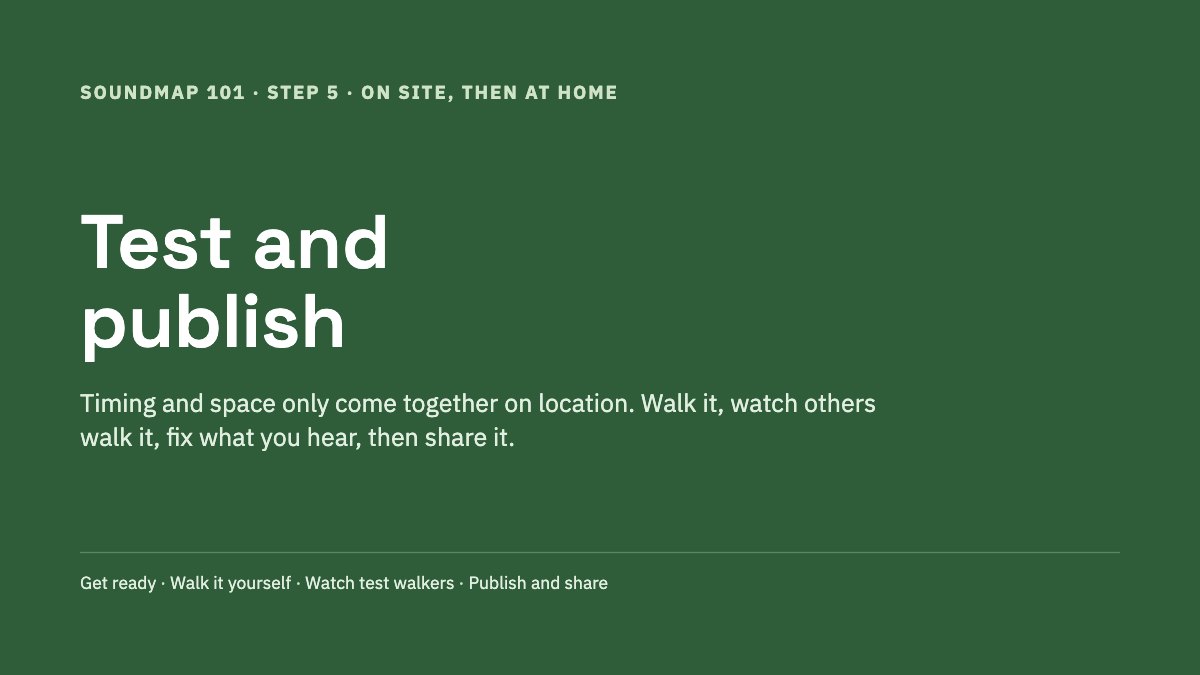
Test and Publish
7 slides
Try it
About 90 minutes on site. Walk the map yourself and note each problem by stop. Watch two people walk it without helping. Fix what came up more than once, then publish, print a QR sign and share the link. Done when your walk is live and a stranger can start it from the sign.
- Guide How to Test Your Sound Map
- Guide Publish a Soundwalk Collection on Echoes
- Listen See a published walk: the Blacklick Woods sound walk, built by a park naturalist who had never made one. Open it in the Echoes app, or walk it if you’re near Columbus.
Downloads and links
Everything for this course in one place: worksheets to print, slides, and the tools we use.
- Tool Echoes
Free platform for building and publishing geolocated sound walks. You need a creator account. - Listen Blacklick Woods sound walk
The walk this course grew out of: a finished example to explore after Step 5. - Slides Listen to Your Site
Step 1, 7 slides. - Slides Gather Your Sound Materials
Step 2, 10 slides. - Slides Build in Echoes
Step 3, 7 slides. - Slides Listening in Motion
Step 4, 7 slides. - Slides Test and Publish
Step 5, 7 slides. - Guide All Echoes guides
Step-by-step help for every part of the platform.
Keep going: advanced Echoes guides
Ready for more? These guides extend the basics into advanced platform features and soundmap production.
Echoes platform management
visibility and discovery, profiles and accounts, archiving, sharing and promoting soundwalks
Audio files and sound sources
formats and file organization, sourcing and reusing sounds, community sound collections and sample packs
Advanced playback
beat synchronization, voice groups, queueing and trigger logic, distance-based volume and fades, overlapping echoes, GPX and KML routes
Spatial audio
3D sound and ambisonics
Publishing
walk previews and introductions, participant intake, sharing and monetization
Testing and troubleshooting
playback, visibility, and GPS behavior
Available now: all Echoes guides, including walk statistics and deleting echoes, and the Echoes documentation.
Ready to start?
Watch the two-minute video at the top of this page, create a free Echoes creator account, then begin with Step 1: listen to your site.